You've got two ways to skip the blank screen when you're building a dashboard in 2026. You can buy a Next.js dashboard template and wire your data into someone else's layout. Or you can hand Claude Code a structured mission and let it build the screen inside your own architecture.
They look like they solve the same problem. They don't. One gives you a finished object. The other gives you a repeatable process. Here's the actual difference, and how to tell which one you need.
| Question | Next.js template | Claude Code mission blueprint |
|---|---|---|
| What you receive | Prebuilt code and layout | Structured build instructions |
| Project awareness | Limited | Inspects the existing project |
| Customization | Modify supplied architecture | Generate within your architecture |
| Best for | One fast dashboard | Repeated dashboard development |
| Main risk | Fighting template conventions | AI output still requires review |
| Reuse model | Copy or fork the template | Re-run the process with new context |
◆ 01 — Why dashboard templates exist
Templates proved the market. They didn't solve the problem.
Template marketplaces have made real money for a simple reason: builders will gladly pay to skip the blank screen. Nobody wants to spend hundreds of hours redesigning tables, sidebars, charts, and forms from scratch. Dashboard-template businesses have demonstrated substantial, durable commercial demand for shortcuts that eliminate the blank-screen stage.
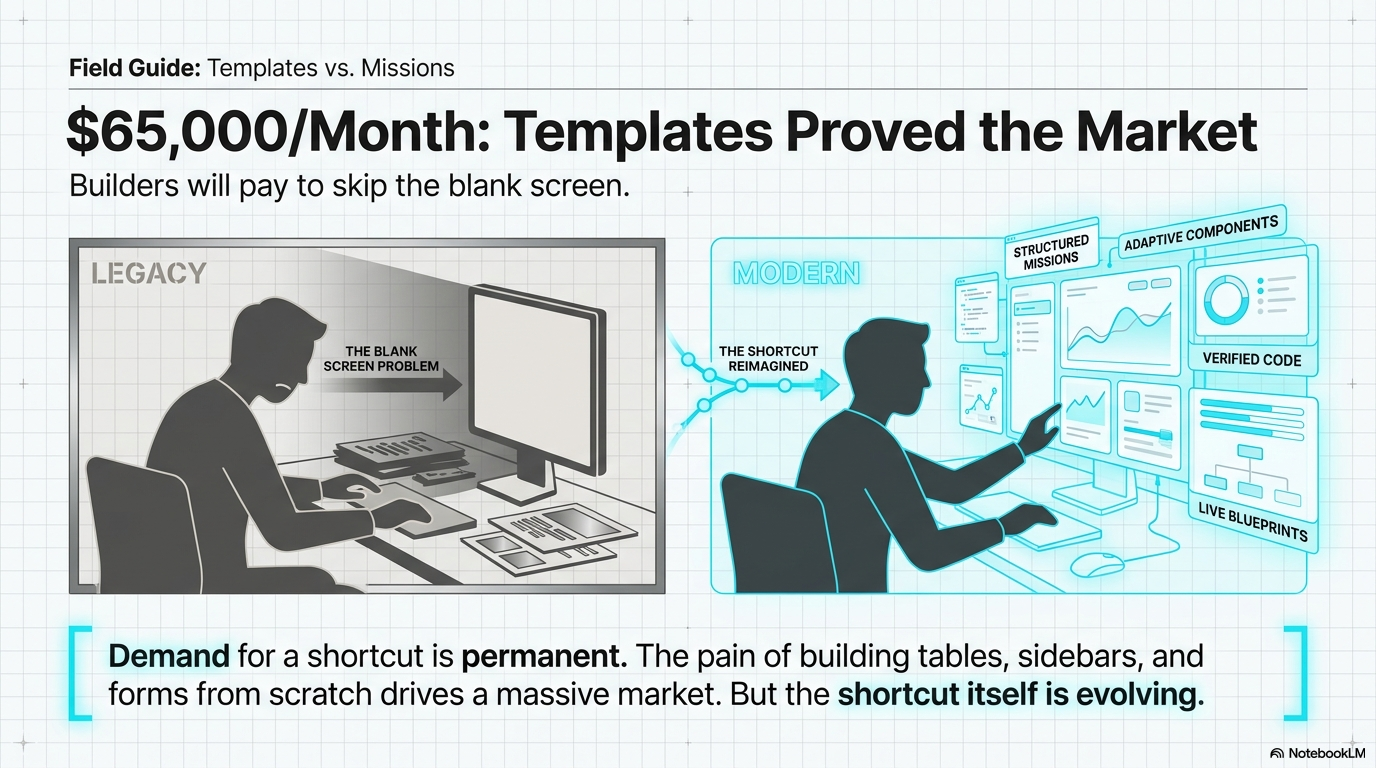
That demand tells you the appetite for a shortcut is permanent. It does not tell you the mechanism behind that shortcut still works. Buying a template means buying a fixed asset — one someone else designed, for a stack you may not be running, built before your product had any of its current requirements.
◆ 02 — Where the template model breaks
A template is a finished asset. Your project is a moving target.
A Next.js or Tailwind dashboard template is concrete: precast, load-bearing, and exactly the same shape no matter what you build around it. That's fine until your product needs something the template didn't anticipate — a different auth flow, a custom data shape, a component the original designer never built.
At that point you're not customizing a template anymore. You're doing surgery on someone else's codebase, guessing at conventions you didn't write. A fixed, trailing-edge product is hard to modify and context blind — it has no idea what you're actually building.
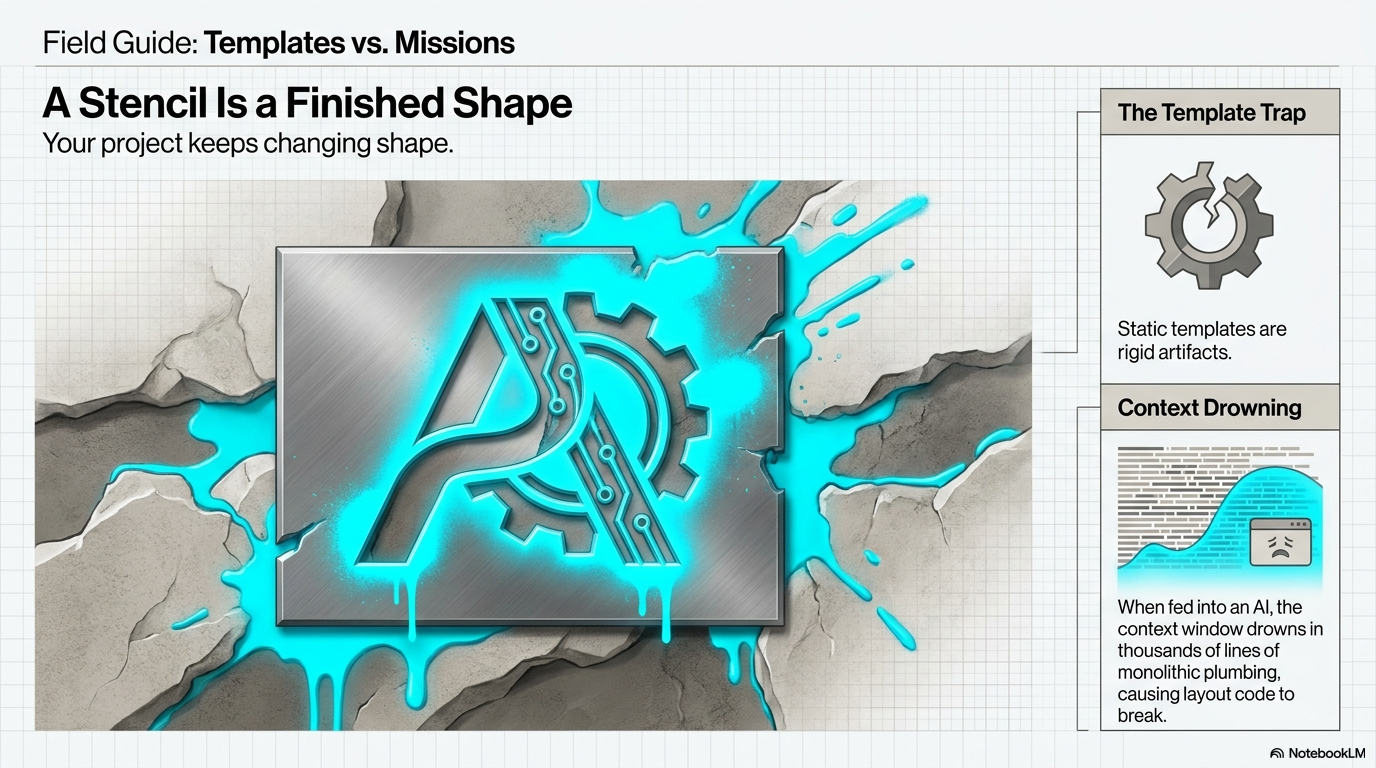
This is exactly the gap AI coding agents were supposed to close. Instead, it opened a new one.
◆ 03 — Where the AI-prompt shortcut breaks too
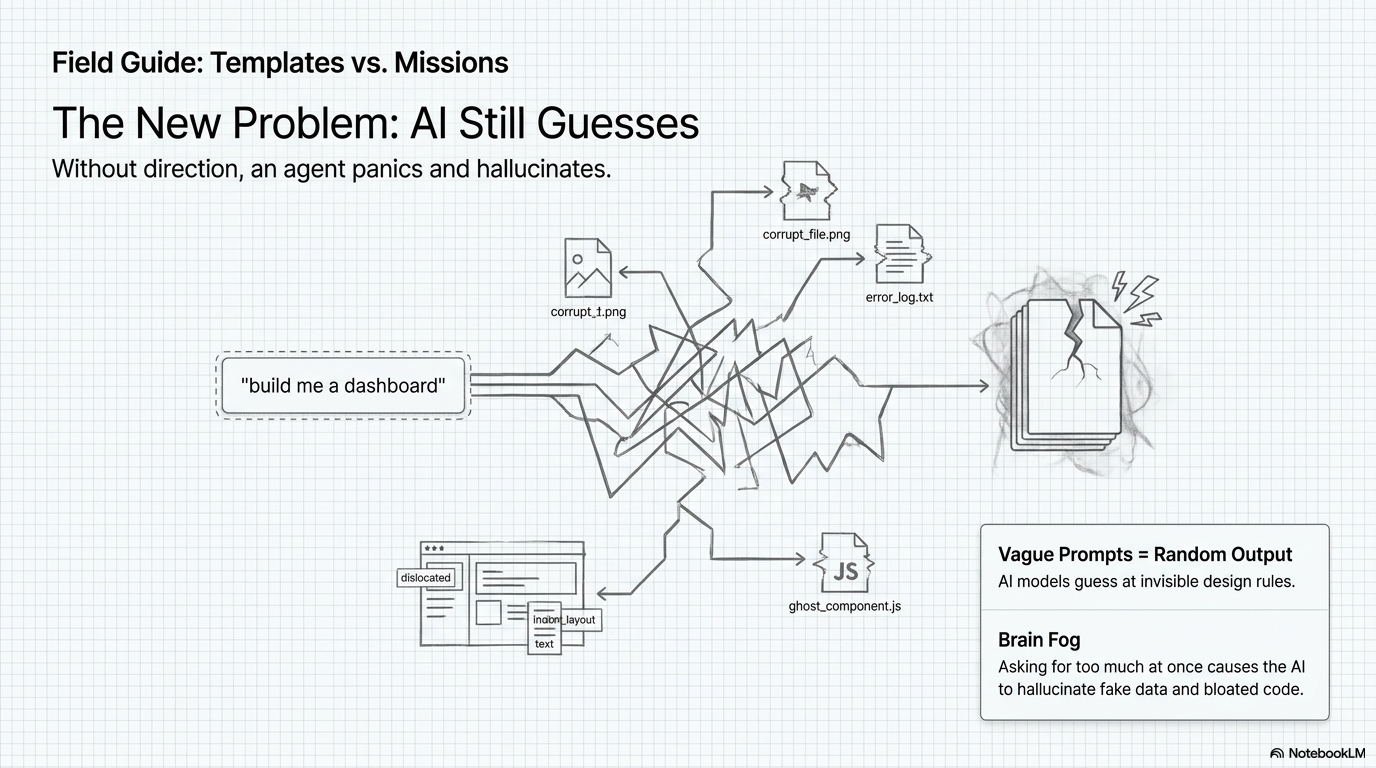
"Build me a dashboard" is not a spec. It's a guess.
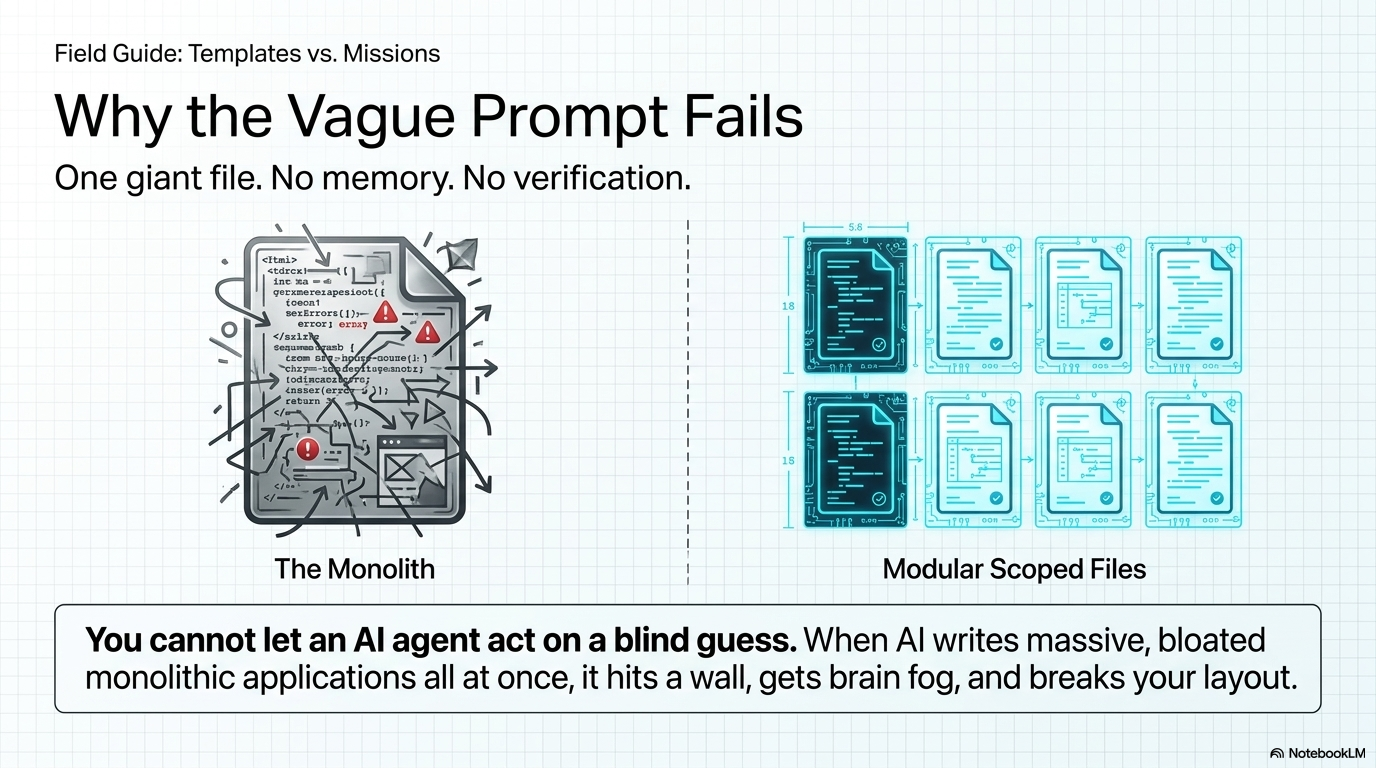
Once builders started using Claude Code, Codex, and Cursor to generate dashboard UI directly, a new failure mode showed up. Without explicit guardrails, an AI agent acts like a junior developer panicking to finish a project in one sitting. It hallucinates state management. It scrambles design tokens. You end up with an app-invoice-list.tsx file pushing 1,500 lines, unknown components, and folders named things like user_profile_MISSING_CONTEXT.
That's the real arc of the UI build evolution: manual code was precise but agonizingly slow, static templates were fast but rigid, and the AI prompt was instant but chaotic and hard to maintain. Each stage solved the previous stage's problem and created a new one.
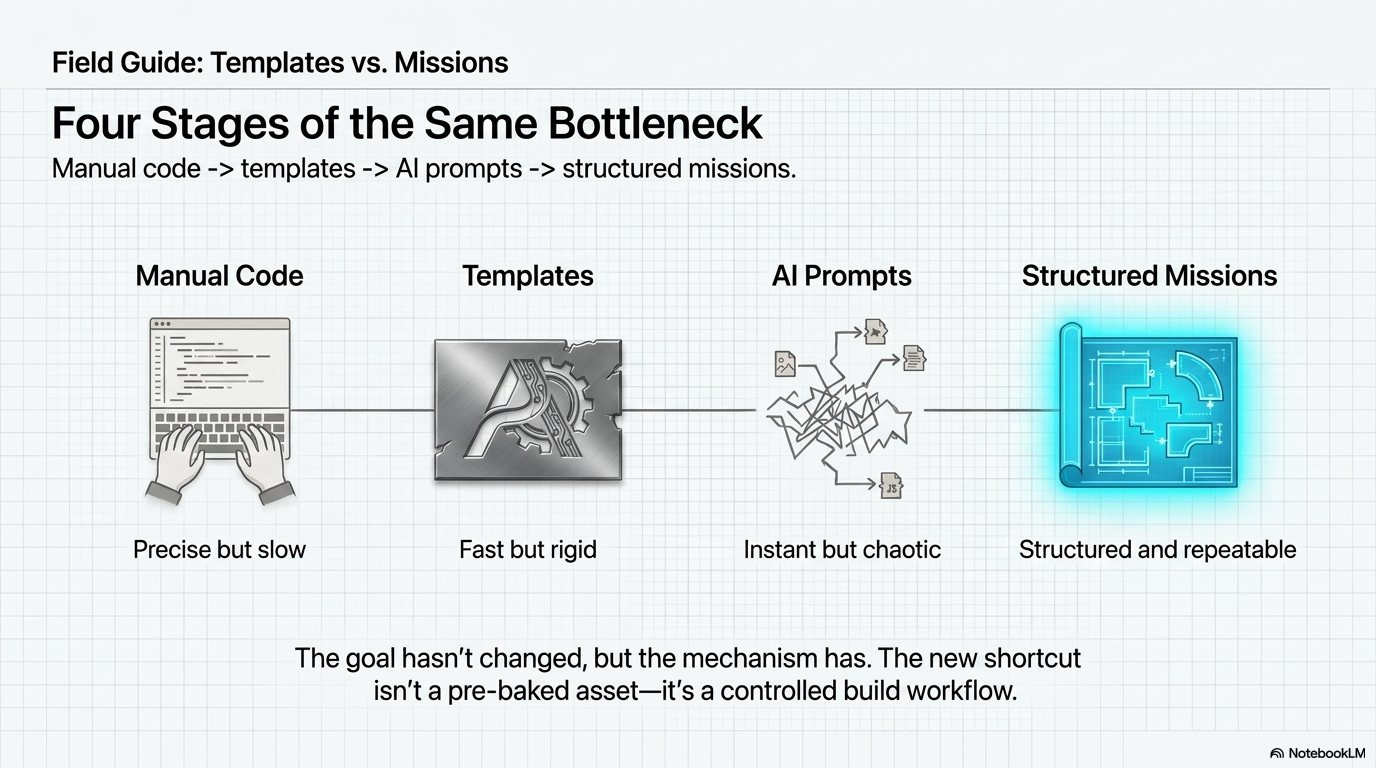
A dashboard built with Claude Code off a one-line prompt fails for the same underlying reason a template fails to fit your project: neither one has real context about what you're building. One is frozen before your project existed. The other is guessing at it live.
◆ 04 — What a mission blueprint changes
You aren't buying the finished asset. You're buying the recipe.
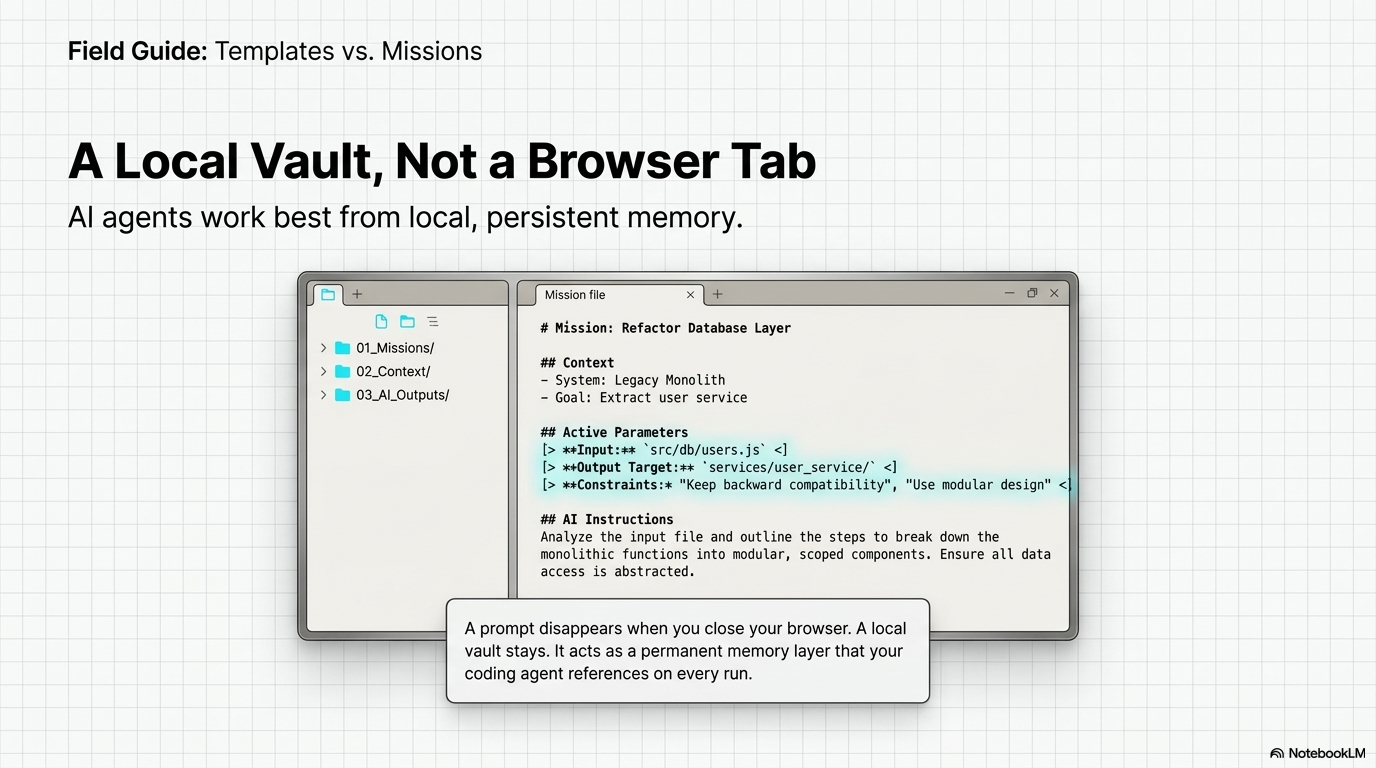
A mission blueprint is a structured Markdown work order, not a chat message. It's built to sit inside your project as permanent, searchable memory — not disappear the moment the tab closes.
| Feature | The Loose Prompt | The AI Mission |
|---|---|---|
| Input format | A single sentence in a chat box | A structured Markdown file |
| Memory | Disappears when the tab closes | Lives permanently in your local files |
| Boundaries | None — the AI hallucinates files | Strict line limits and protected roots |
| Quality control | Visual guessing by the human | Automated red/green verification gates |
| Output | Monolithic code bloat | Modular, copy-pasteable architecture |
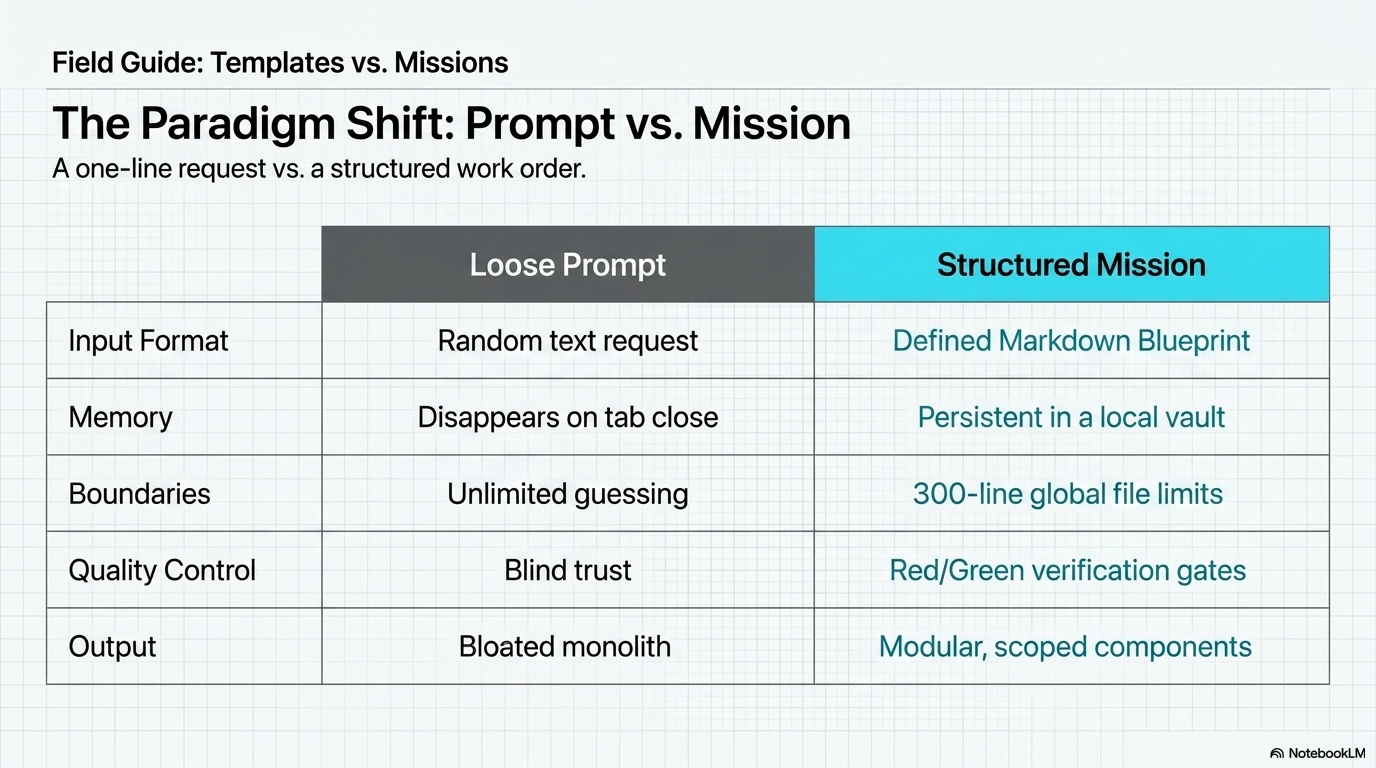
This is the actual value behind a Claude Code prompt library built as missions instead of one-liners: you're not buying a static screen, you're buying a localized, agentic generation engine that's repeatable across multiple projects and designed to produce more controlled implementation output each time.
◆ 05 — The four pillars that make a mission work
Blueprints, context, safety rules, verification gates.
A working mission vault rests on four structural pillars:
- Blueprints — modular, agent-readable Markdown instructions instead of a vague sentence.
- Context — local project memory so the AI never forgets your stack.
- Safety rules — hard constraints, like a strict 300-line global file limit.
- Verification gates — forced testing cycles before the AI writes to disk.
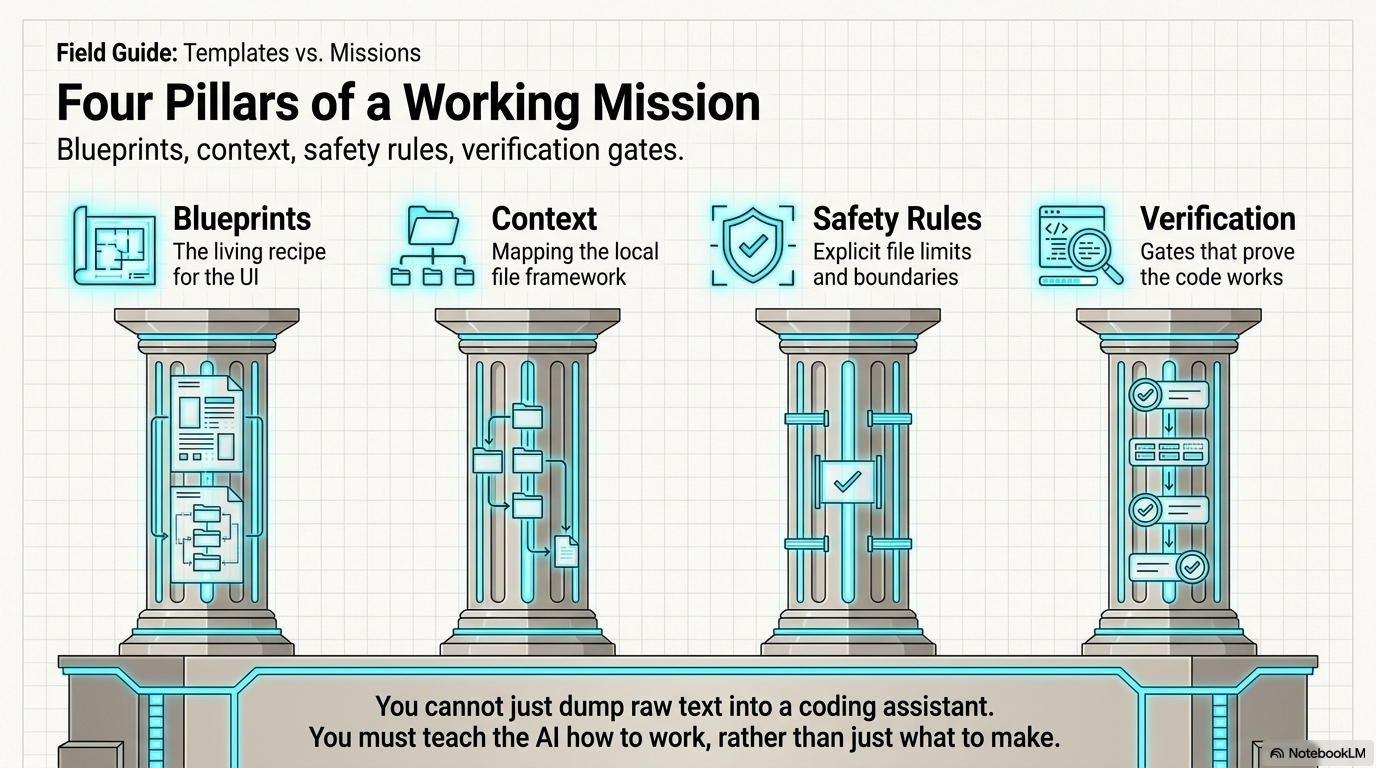
Strip out any one of these and you're back to guessing. Skip the context layer and the agent forgets your framework mid-build. Skip the safety rules and you get the 1,500-line monolith. Skip verification and you're back to eyeballing the output and hoping it's right.
◆ 06 — Why a real dashboard needs three layers
Data, behavior, and users — not just a pretty chart.
Most Next.js admin dashboard templates sell you Layer 1 and stop there. A mission-based build system organizes the work into three layers instead:
- Layer 1 — Dashboards & Data. The control panel: KPI grids, analytics, data tables.
- Layer 2 — Interactions & Effects. The behavior layer: slide-overs, modals, glassmorphic toasts.
- Layer 3 — Auth & User Systems. The account layer: login gates, profiles, secure onboarding.
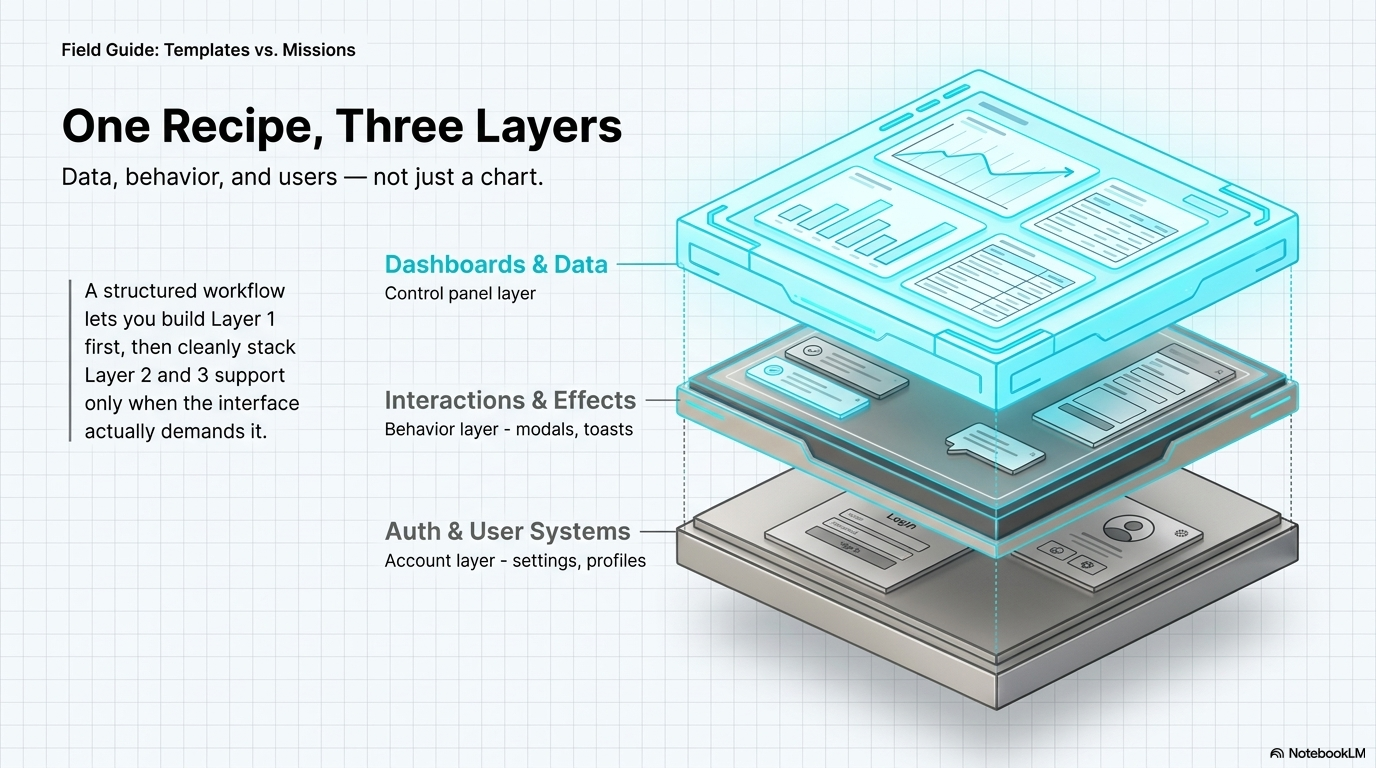
A dashboard that only has Layer 1 is a chart glued to a page. The missions that matter cover all three, because a real product needs a control panel, behavior that feels alive, and a way to gate who sees it.
◆ 07 — Why the safety rules matter most
You cannot let an AI agent grade its own homework.
This is the part most "build me a dashboard" prompts skip entirely — and it's the part that decides whether the output is usable. A controlled build workflow enforces verification gates on both ends of the AI's execution:
- The Red Gate — write a failing test suite first, to prove the tests are real.
- AI Execution — implementation constrained to a hard 300-line limit per file.
- The Green Gate — tests pass locally, visual verification required before the mission closes.
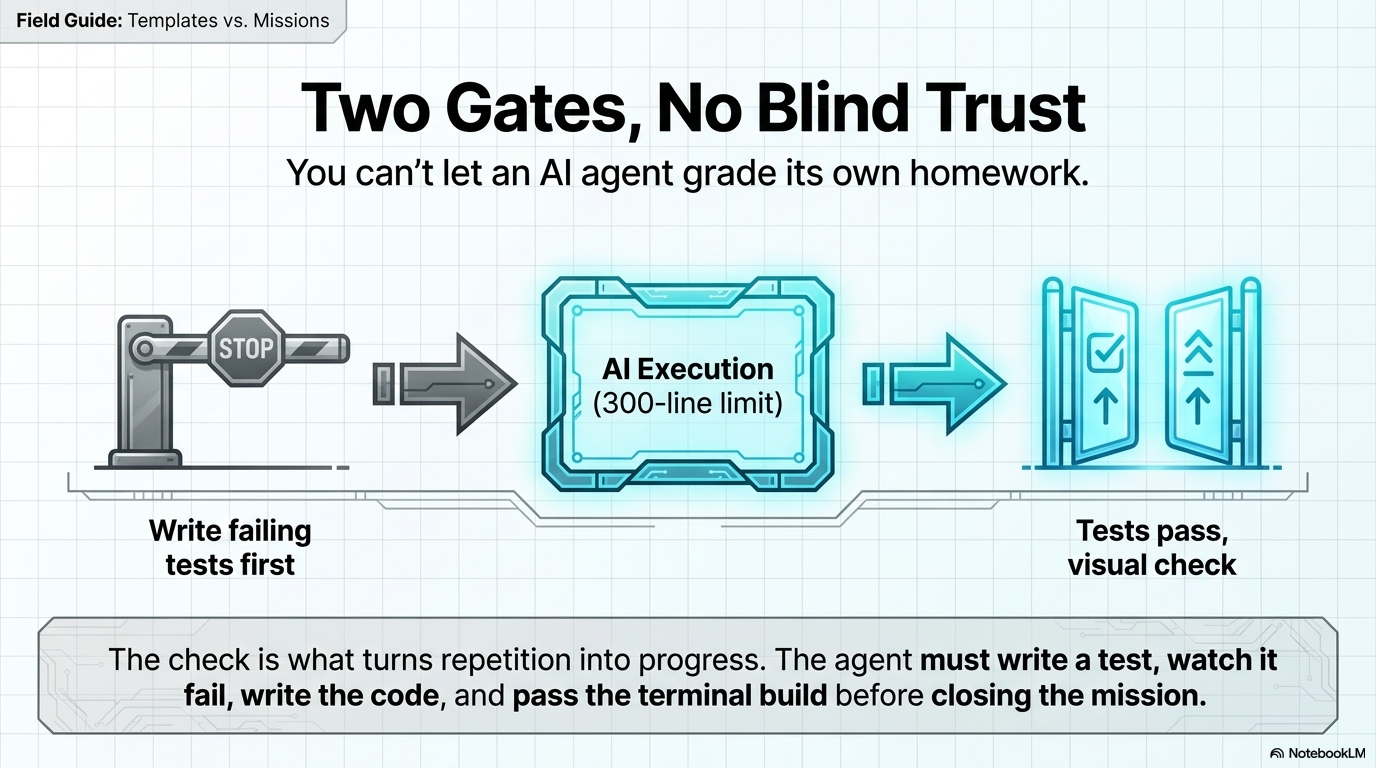
Compare that to the generic prompt path: one monolithic file, framework rules forgotten halfway through, the AI grading its own homework with no gate in between. You cannot let an AI agent act on a blind guess — the missions exist specifically to remove that blind spot and help you enforce your own implementation standards.
◆ 08 — What this looks like end to end
The dash-01 telemetry build, in three steps.
Here's the mechanical version, running inside Obsidian as the mission control layer — a local Markdown vault built to store build history, active scripts, and architectural context that a browser tab can't hold onto.
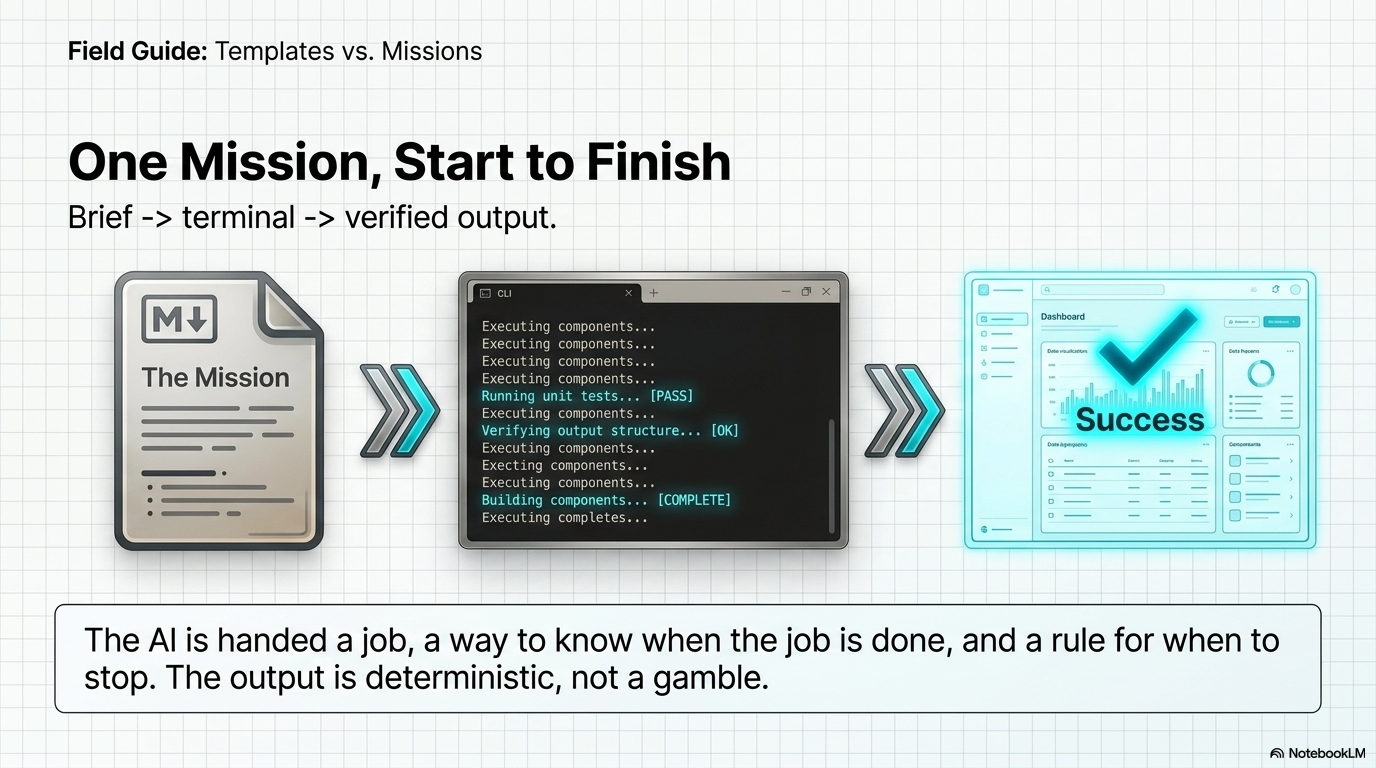
- The brief. The original dash-01 demonstration ran on Next.js 14 and Tailwind, targeting an admin-type dashboard. The workflow itself is version-agnostic — the same mission runs on the current Next.js line by changing one line of the brief.
- The terminal. Executing DASH-01 → inspecting framework → safety rules loaded → passed.
- The output. A clean KPI dashboard with a working data table, no hallucinated components.
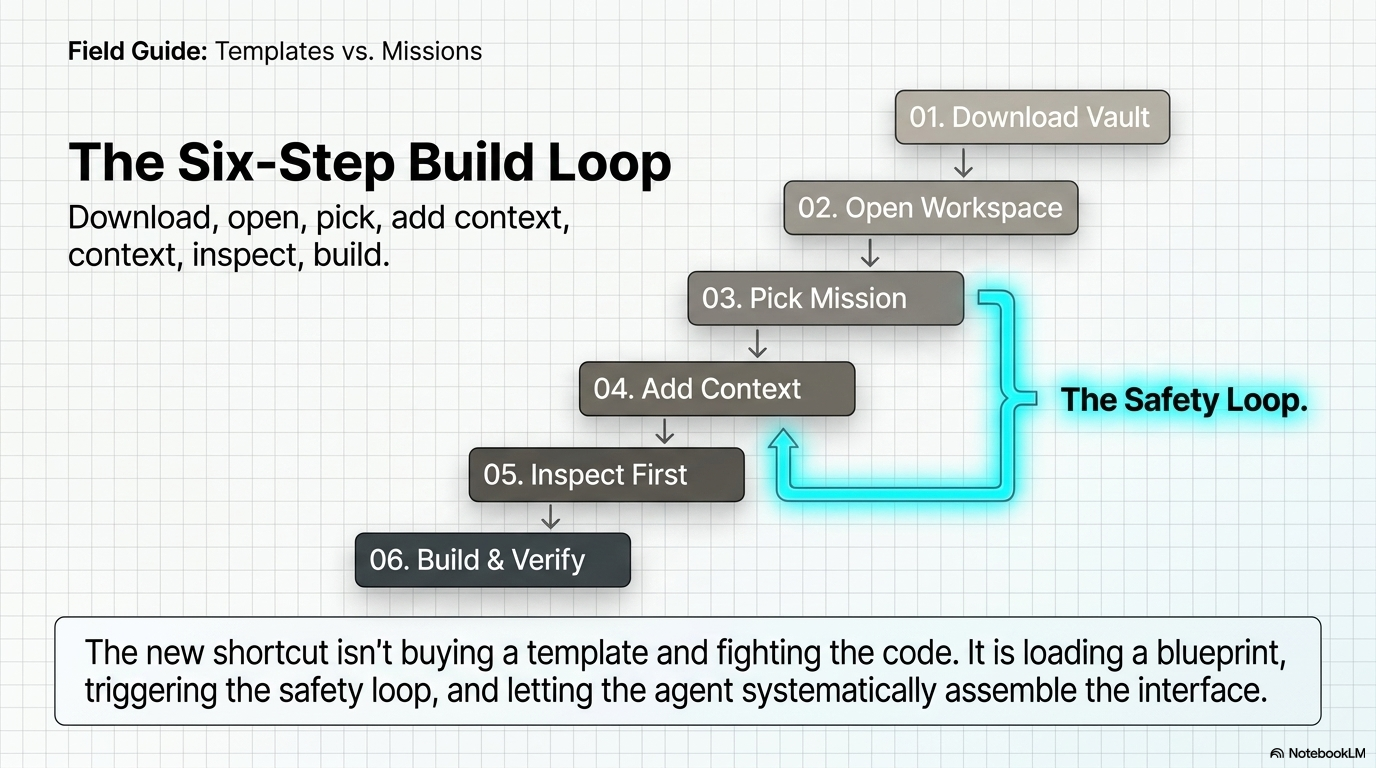
Six steps make up the full loop: download the vault, open it inside Obsidian, pick a dashboard mission, add project context, command the agent to "inspect first," then execute the build and save the output. The middle three steps — pick a mission, add context, inspect first — form what's effectively a safety loop that runs before a single line gets written.
◆ 09 — So which should you use?
Use a template for a screen. Use missions for a system.
Neither model is wrong — they answer different questions.
- If you need one dashboard, once, and your stack matches what the template author built for, a Next.js or Tailwind dashboard template is still the fastest path to something on screen today.
- If you're building more than one dashboard — for your own product, for clients, or as a repeatable part of your workflow — a mission-based system pays for itself the second time you use it, because the recipe travels with you instead of dying in one file.
The appetite for a shortcut isn't going away. The shortcut that scales with AI coding agents is a mission, not a static asset.
◆ 10 — FAQ
Common questions about templates vs. Claude Code.
Are Next.js dashboard templates still worth using?
Yes. They're useful when the stack matches, the visual design fits, and you need one dashboard quickly.
Can Claude Code build a Next.js dashboard?
Claude Code can generate and modify dashboard code, but the quality depends heavily on project context, instructions, constraints, and verification.
Is a mission blueprint the same as a prompt?
No. A mission blueprint is a structured work order containing context requirements, implementation boundaries, workflow stages, and completion checks.
Should I use a template or Claude Code?
Use a template for a fixed starting asset. Use a structured Claude Code workflow when you want the build process to adapt to an existing project or be reused across multiple builds.