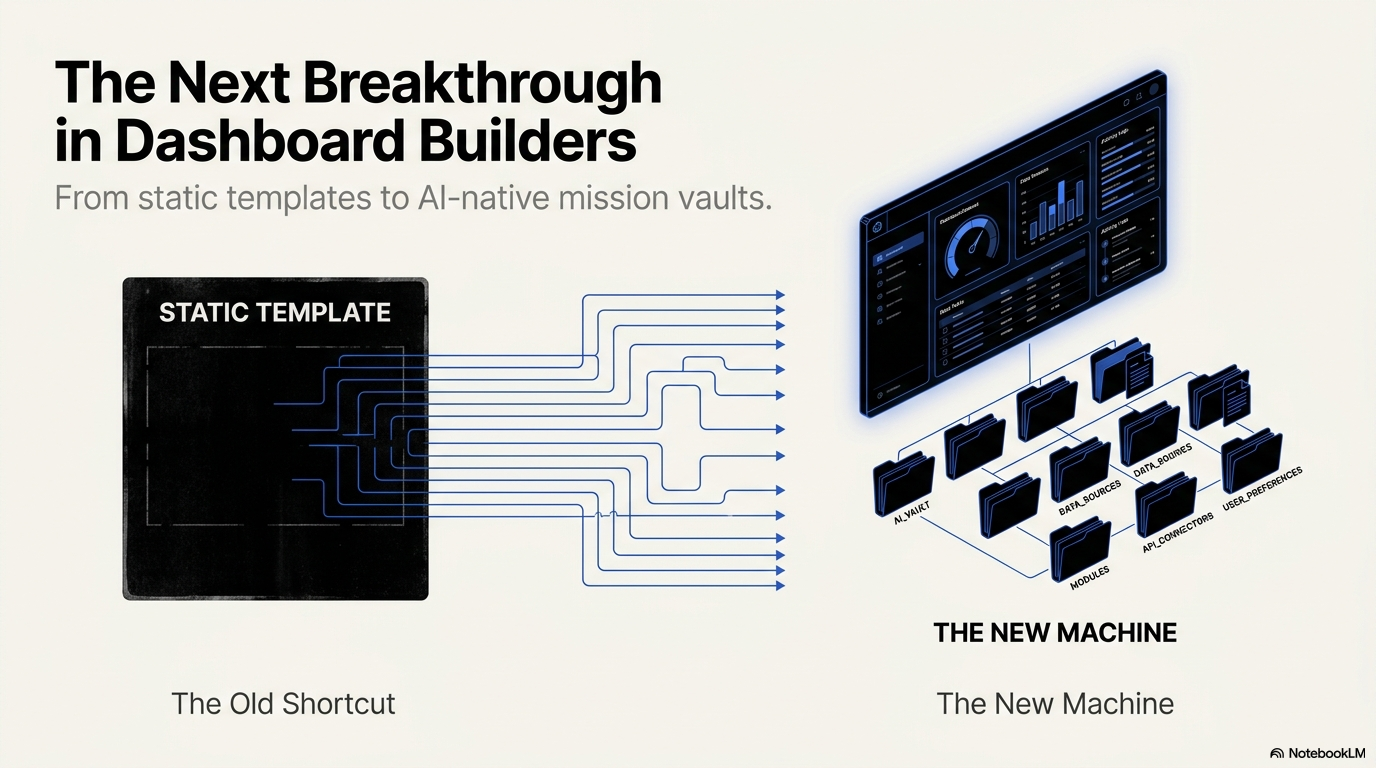
Dashboard builders used to export templates. The next generation may export structured missions an AI agent can execute.
// 01 — The Shift
Dashboard Builders Are Changing — Again
Every generation of software tooling has had a dominant shortcut for building dashboards. First it was writing everything by hand. Then it was buying a template. Now it is typing a prompt into an AI coding agent and watching something appear in seconds.
Each shortcut replaced the previous one because it solved the same underlying pain faster: nobody wants to spend hundreds of hours rebuilding the same KPI cards, charts, sidebars, tables, admin panels, and auth screens from scratch.
But each shortcut also introduced a new problem. And the AI prompt — the current shortcut — has introduced one of the hardest to diagnose: the output arrives instantly, but the quality of that output depends entirely on the quality of the instruction behind it.
That gap between fast generation and controlled output is where a new category is emerging. Practitioners are beginning to call it the AI Mission Vault.
// 02 — The Evolution
The Evolution That Hit a Bottleneck
To understand why mission vaults matter, it helps to trace how the dashboard-building workflow got here.
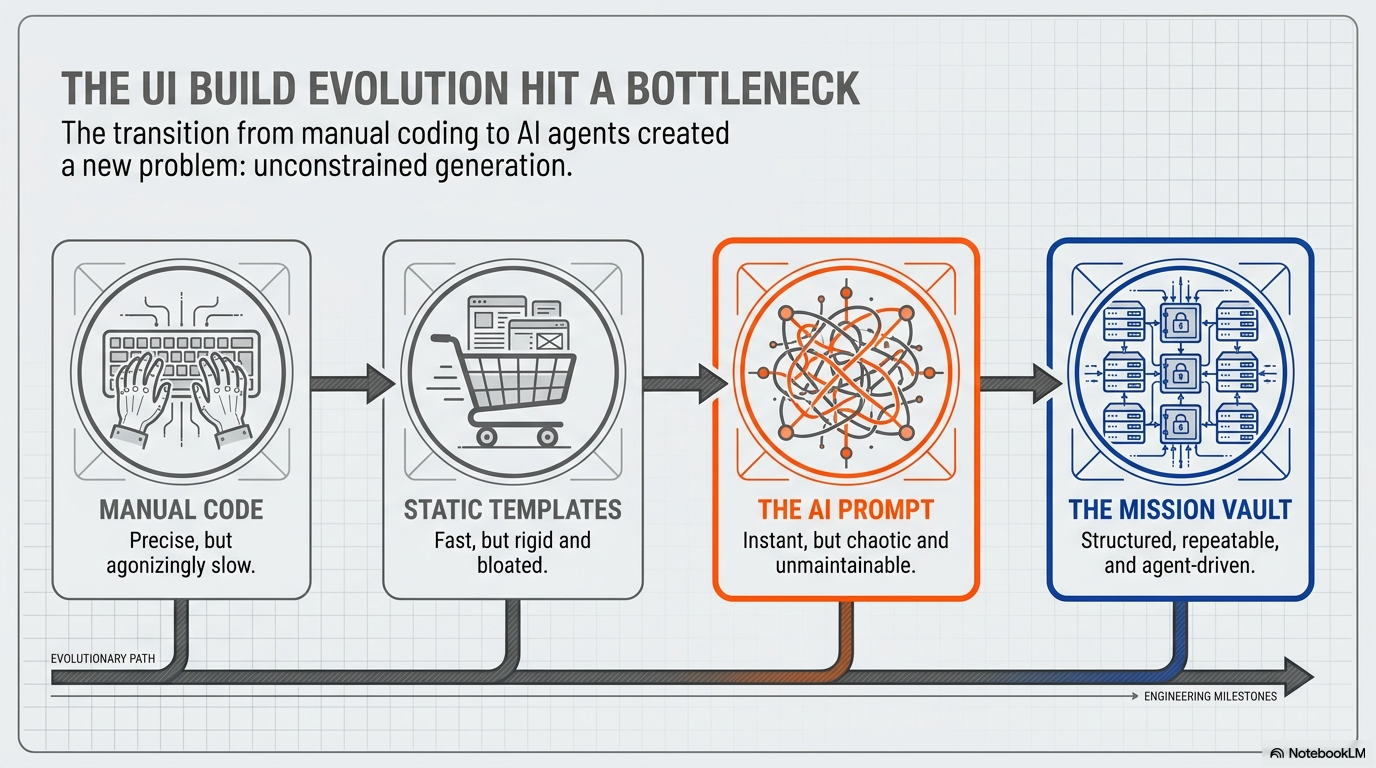
Manual code was the starting point: precise and reliable, but slow. Every layout, sidebar, table, chart, and form had to be created from scratch. The bottleneck was time.
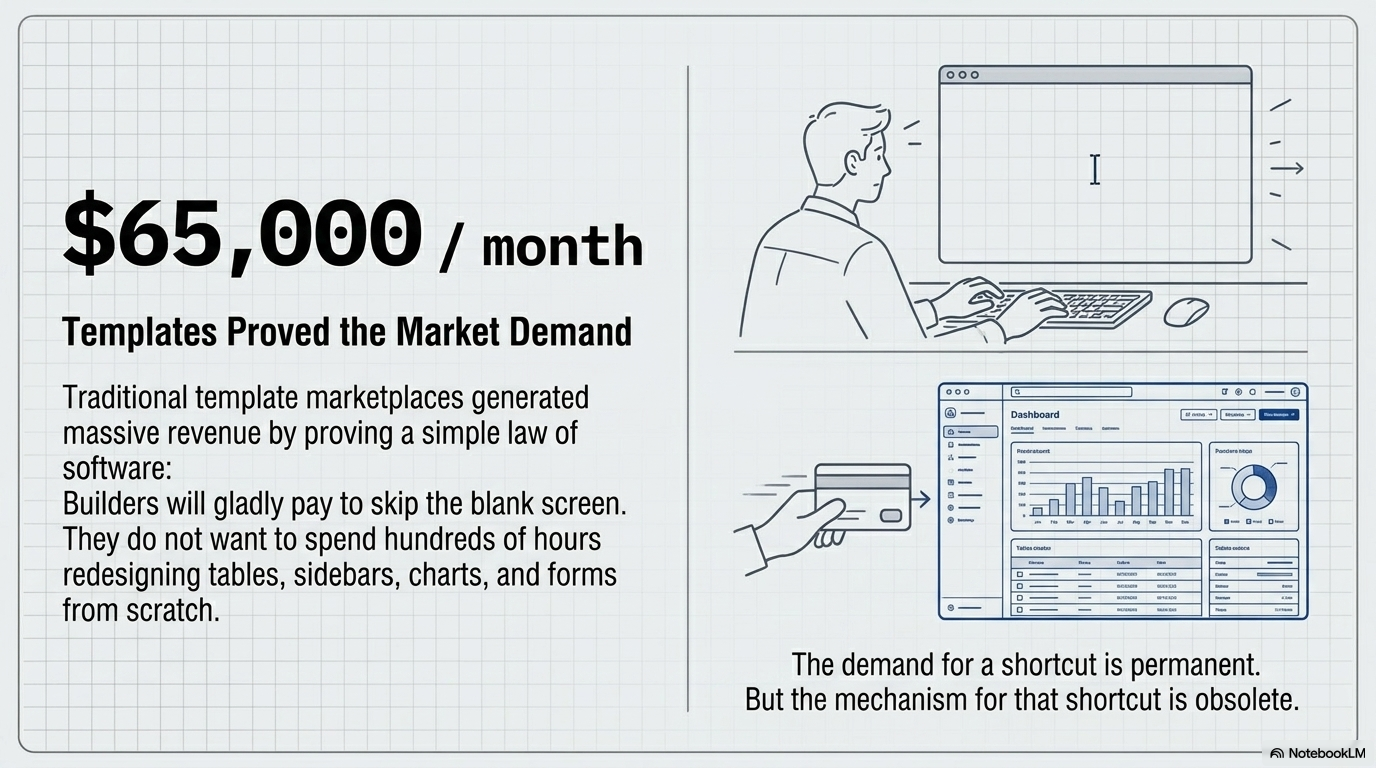
Static templates solved that. A developer could buy a polished dashboard theme, customize it, and connect it to an app in a fraction of the time. Template marketplaces proved the demand was real — traditional template shops generated significant recurring revenue by letting builders skip the blank screen. But the bottleneck shifted from speed to rigidity. A template is a frozen asset. It does not know your codebase, your brand system, your file structure, or what your app actually needs.
The AI prompt arrived next and appeared to solve rigidity. Type a sentence, get a dashboard. The generation is instant and flexible. But a new bottleneck emerged immediately: unconstrained generation. An AI that can build anything will, without guidance, build anything — including the wrong thing, confidently, in one sitting.
The current state of the field sits between the AI prompt and something better. That something better is the mission vault.
// 03 — Market Context
What Templates Got Right (and Wrong)
The template economy is worth examining before moving on, because it proved something important about the market.
Builders pay for dashboard shortcuts. That demand is permanent. Developers, founders, freelancers, and agencies consistently demonstrate willingness to pay to skip building responsive layouts, chart setups, data tables, and navigation systems from zero. Template shops earned their revenue not by being technically impressive, but by removing a painful and repetitive starting cost.
What templates could not do was adapt. A template does not inspect your local folders. It cannot understand your component structure or state management patterns. It does not know which files should never be touched. It cannot verify that its own output works inside a real project. It is a finished asset — which makes it immediately useful and immediately limited.
Templates solved the blank-screen problem. They did not solve the AI context problem.
// 04 — The New Problem
The New Problem: AI Still Guesses
The AI context problem is worth dwelling on, because it is the reason mission vaults exist.
When a developer opens Claude Code, Codex, Cursor, or ChatGPT and types “build me a React admin dashboard,” the AI is immediately required to make dozens of decisions it has no specific information about. What folders should exist? What components should be created? Should it use the existing routing system or build a new one? Which Tailwind classes match the existing design system? What data model should the tables use? What counts as done?
The AI fills those blanks with guesses. And those guesses compound. The result is a recognizable pattern: a single bloated file with hardcoded data, broken imports, random folder structures, missing interaction states, and UI that looks acceptable in isolation but fails the moment it meets a real project.
This is sometimes called “AI brain fog” — not a failure of the model’s capability, but a failure of the instruction given to it. The model is executing a vague job with skill. The job itself was the problem.
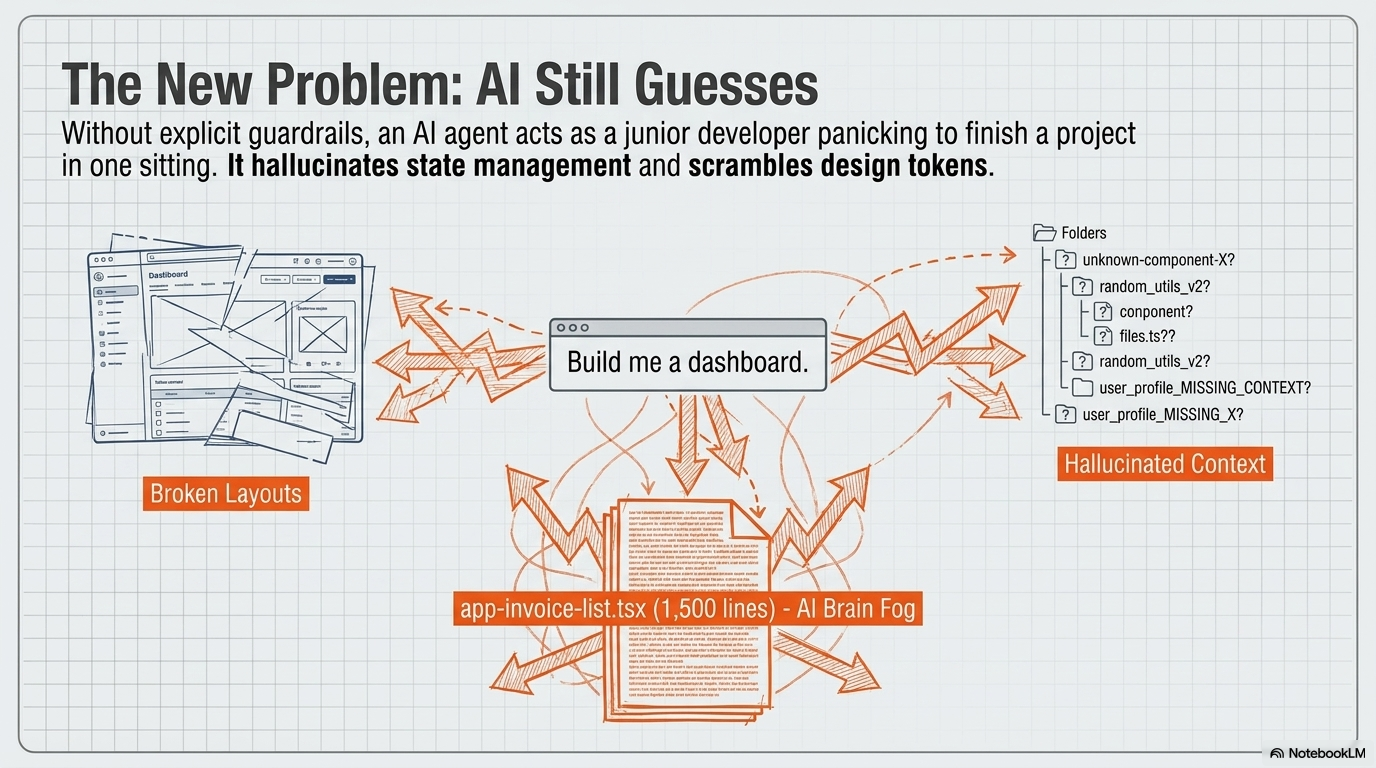
The problem is not that AI cannot build dashboards. The problem is that most builders give AI vague jobs.
// 05 — Root Cause
Why Generic Prompts Create Monolithic Bloat
The mechanics of why a generic prompt fails are specific enough to be worth spelling out.
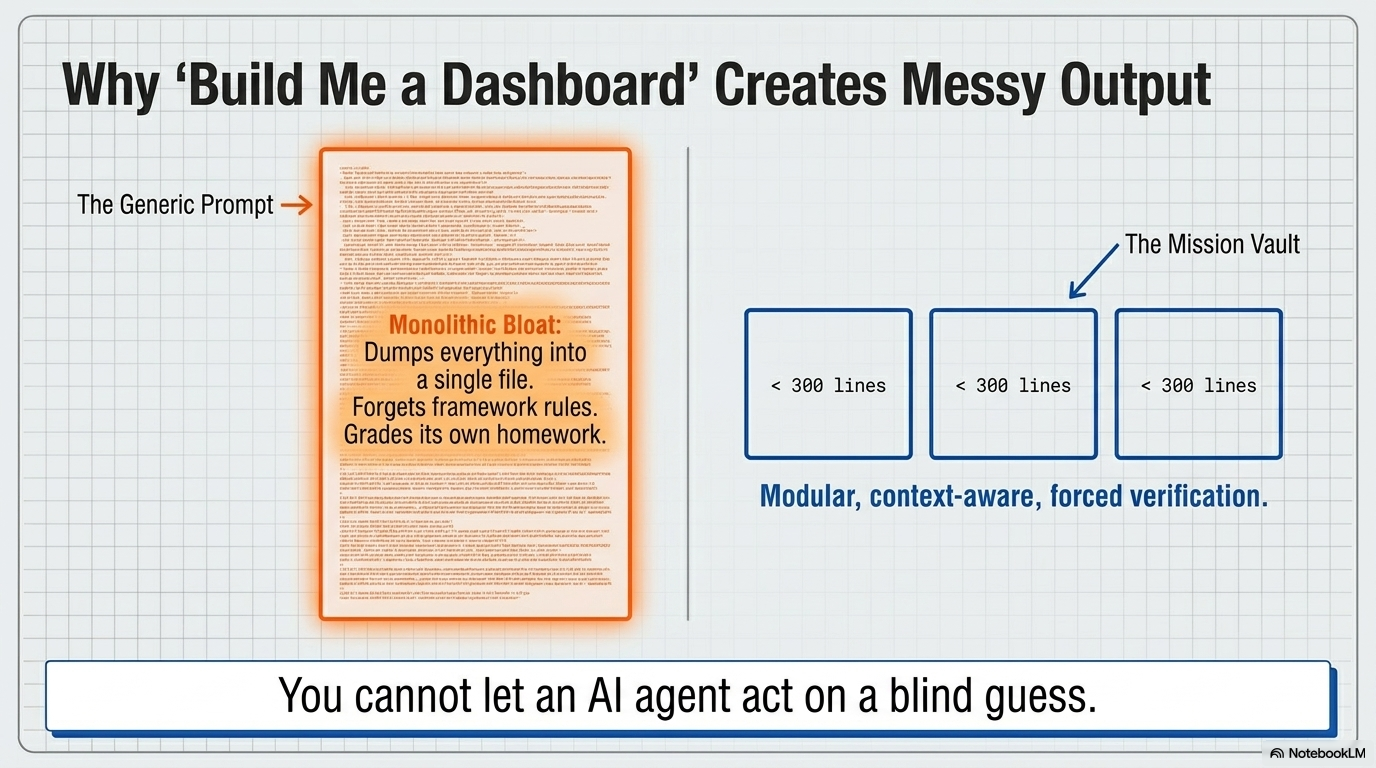
A prompt like “build me a dashboard” gives the AI maximum creative freedom and minimum structural constraint. The model, optimizing to complete the request, tends to dump everything into one large file — what practitioners call monolithic bloat. It forgets framework-specific rules. It ignores the existing project architecture. It invents components that do not match anything else in the codebase. And critically, it grades its own homework: it decides the job is done, declares success, and stops — with no external verification that anything actually works.
A mission-based instruction looks fundamentally different: inspect this project first; use this dashboard objective; create these specific components; avoid these files; respect these line limits; add these interaction behaviors; verify this output before closing.
The information content is higher. The degrees of freedom are narrower. The output is correspondingly more controlled.
// 06 — The Category
What an AI Mission Vault Actually Is
An AI Mission Vault is a structured library of build instructions designed specifically for AI coding agents. It is not a prompt library, a template pack, or a component kit. It is a local mission system — a set of organized files that give an AI agent a complete, constrained, verifiable job rather than an open-ended request.
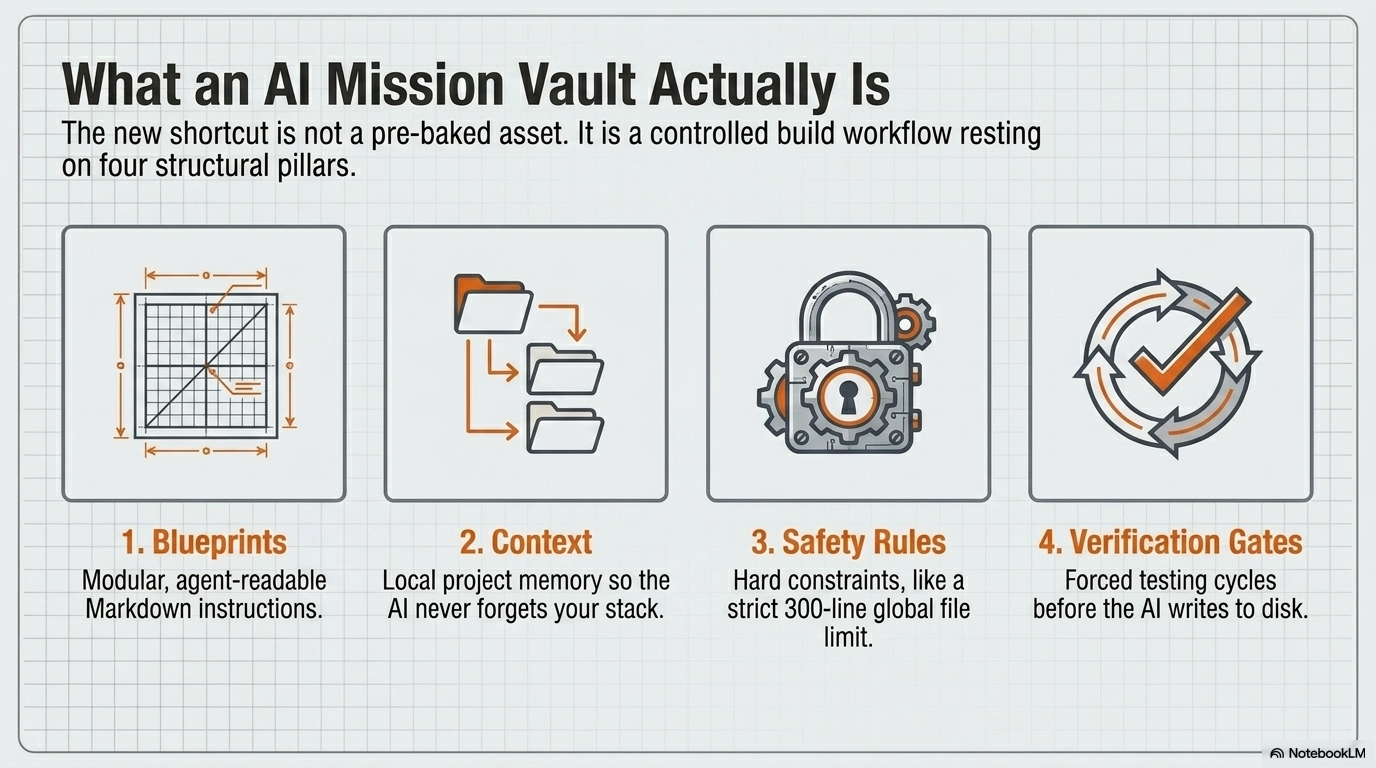
A well-designed mission vault rests on four structural elements:
01 · Blueprints
Modular, agent-readable Markdown instructions defining what should be built — the objective, required components, screen structure, and expected behavior.
02 · Context
Local project memory: the active stack, component conventions, folder structure, and data models, so the agent understands the project it is entering.
03 · Safety Rules
Hard constraints: protected files, maximum line limits, dependency restrictions. A strict 300-line global file limit structurally prevents monolithic output.
04 · Verification Gates
Required checkpoints before a mission closes. Rather than self-certifying completion, the AI must provide external proof that the output actually works.
// 07 — The Comparison
From Prompt to Mission
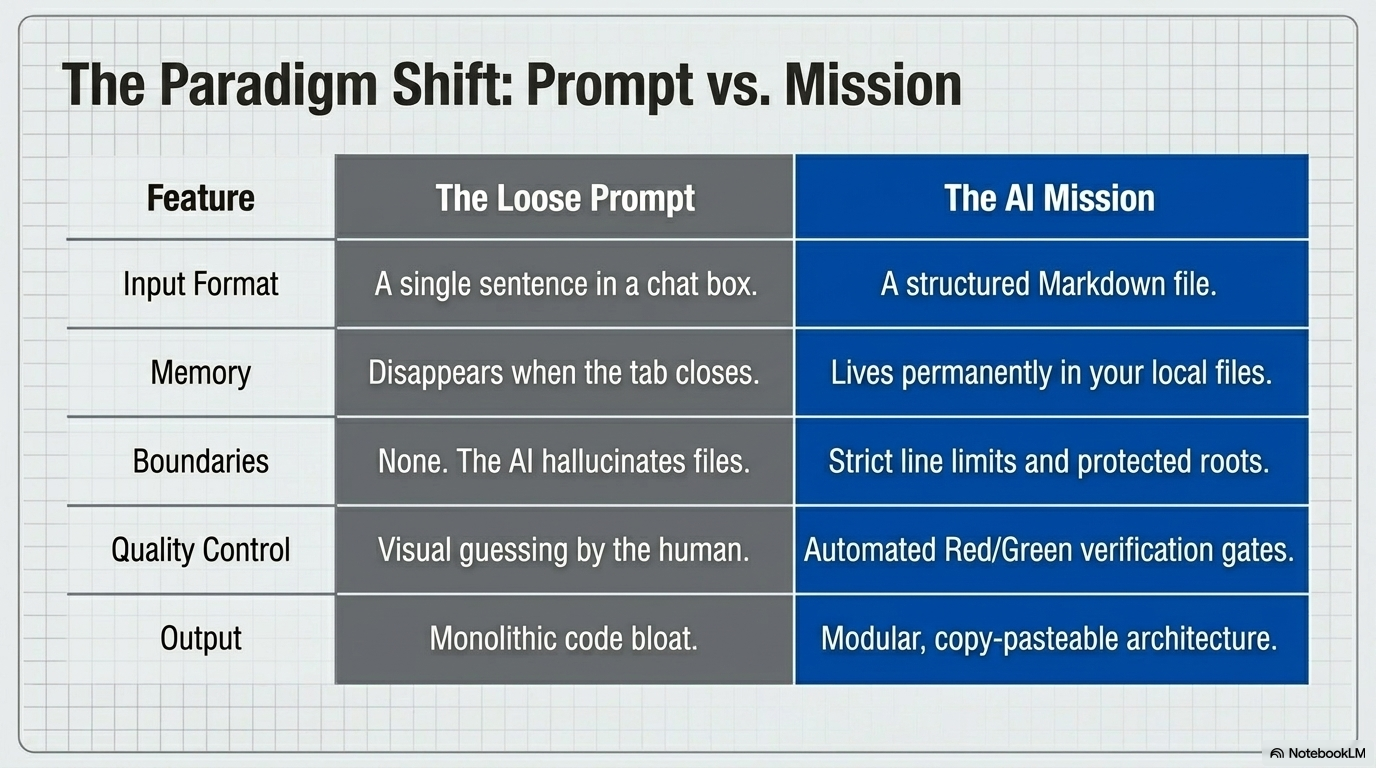
The difference between a loose prompt and a structured mission is not just a matter of length or detail. Every operational dimension is different.
| Feature | The Loose Prompt | The AI Mission |
|---|---|---|
| Input format | A sentence in a chat box | A structured Markdown file |
| Memory | Disappears when the tab closes | Stored permanently in local files |
| Boundaries | None — the AI improvises freely | Strict line limits and protected roots |
| Quality control | Human visually inspects the result | Red / Green verification gates |
| Output | Monolithic code bloat | Modular, reusable architecture |
The practical implication: prompt libraries tell AI what to make. Mission vaults tell AI how to work. That distinction determines the quality and repeatability of everything that comes out.
// 08 — The Workspace
The Role of a Local Vault
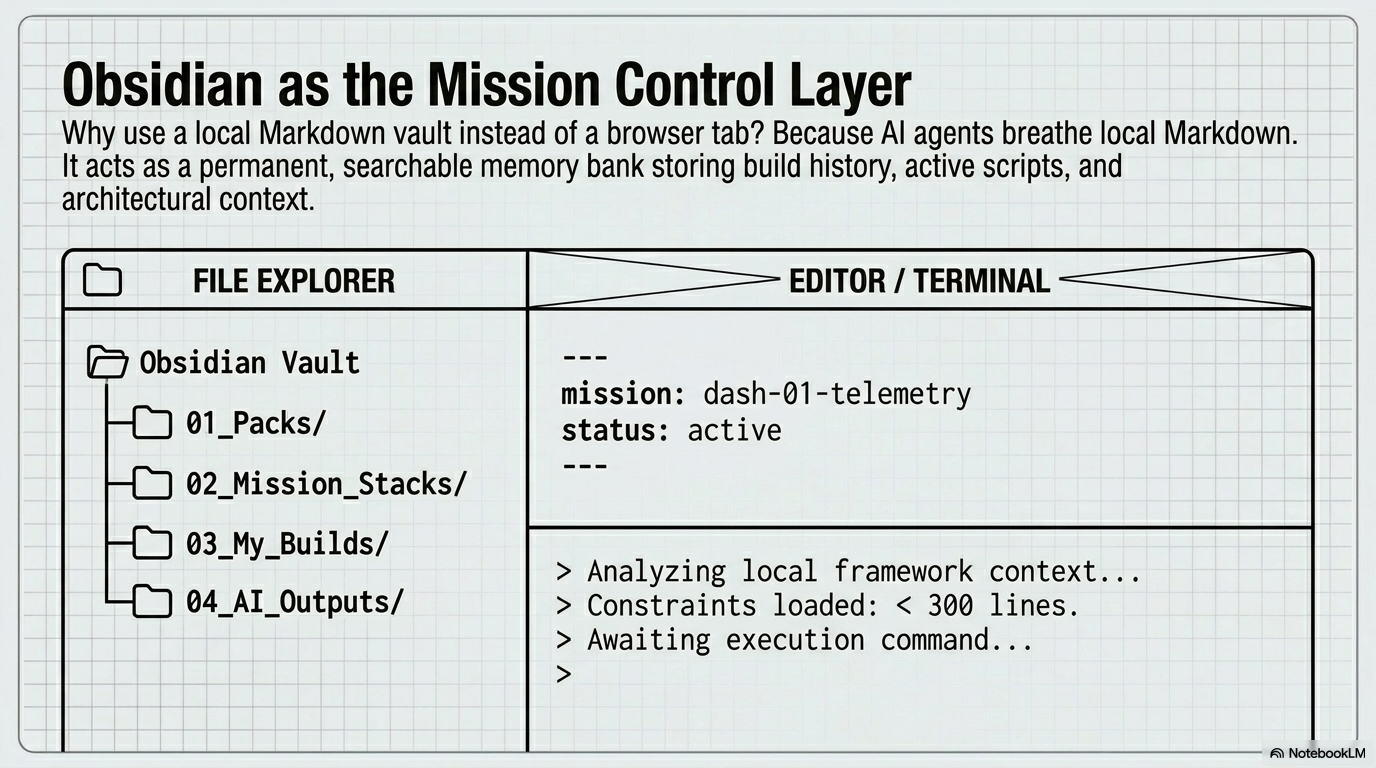
One of the structural choices in mission-based AI development is where the mission system lives. The case for a local Markdown vault — tools like Obsidian are commonly used for this purpose — comes down to persistence and agent compatibility.
AI coding agents work well with local Markdown files. A local vault acts as a permanent, searchable memory bank: it stores build history, active blueprints, safety rule sets, example outputs, and architectural context across sessions. None of that disappears when a browser tab closes. The vault becomes the memory layer; the AI agent becomes the execution layer.
A typical vault structure separates blueprints, mission stacks, active builds, and AI outputs into distinct folders — giving both the human builder and the agent a consistent, navigable system rather than scattered chat history.
// 09 — Verification
Safety Rules and Verification Gates
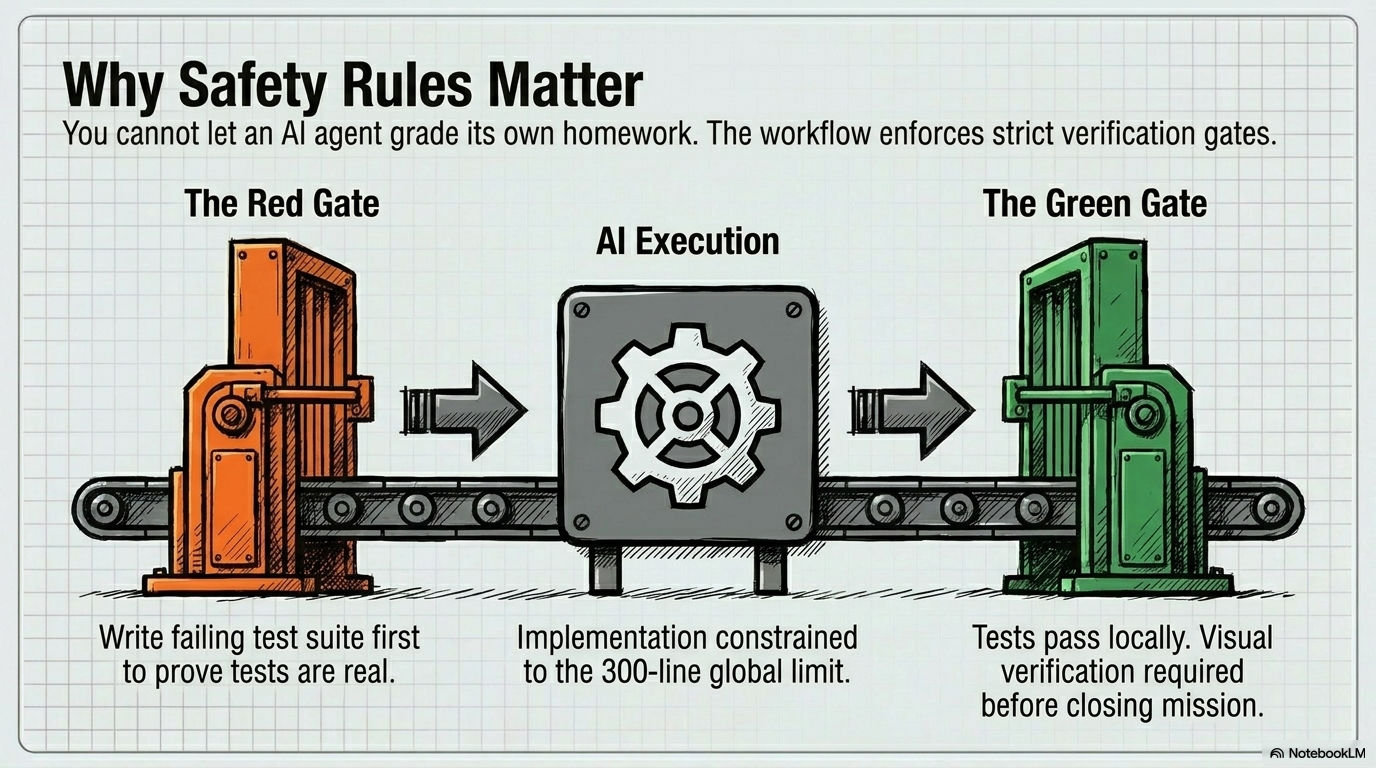
The verification side of mission vaults deserves attention because it addresses what is arguably the most dangerous failure mode of AI-generated code: the AI grading its own homework.
An AI agent asked to build something will typically report success. It has no external signal telling it otherwise. This is where a Red Gate / Green Gate workflow becomes important.
The Red Gate comes before implementation. The agent must first write a failing test suite — proving that the tests are real and capable of detecting failure, not just rubber-stamping an output that already exists.
The Green Gate comes after implementation. Tests must pass locally, and visual verification must be completed by a human before the mission is considered closed.
This two-gate structure transforms the AI’s role from unchecked generator to constrained participant in a quality process. The agent cannot close a mission simply by declaring it done.
// 10 — The Workflow
The Six-Step Build Loop
In practice, the workflow that mission vaults enable is a mechanical, repeatable loop — closer to a standard operating procedure than a creative session.
- 01Download the vault
- 02Open it in a local workspace
- 03Pick a dashboard mission
- 04Add project-specific context
- 05Command the agent to inspect before it builds
- 06Execute the build and save the verified output
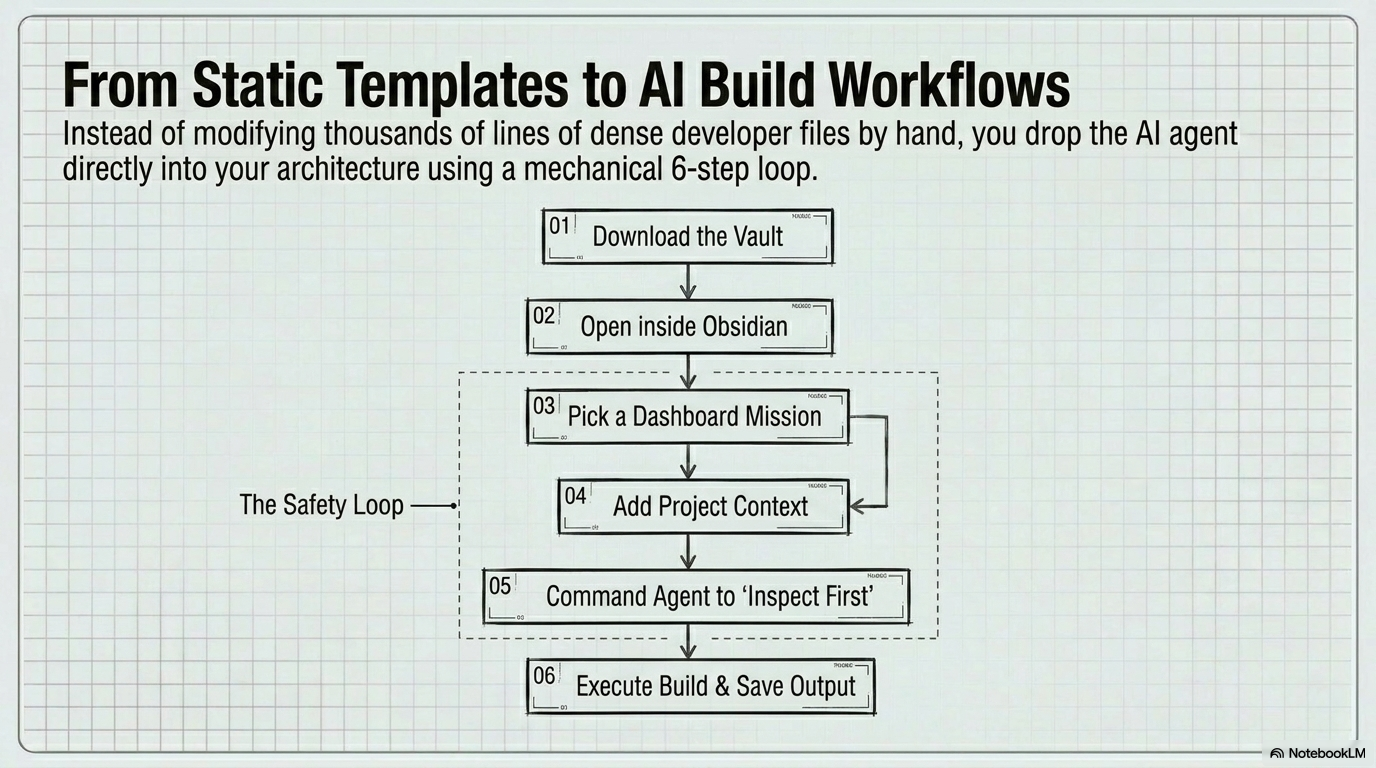
Steps three through five form the critical safety loop — the agent is not permitted to begin generating until it has examined the project it is entering. That single constraint eliminates most of the guessing that produces broken output.
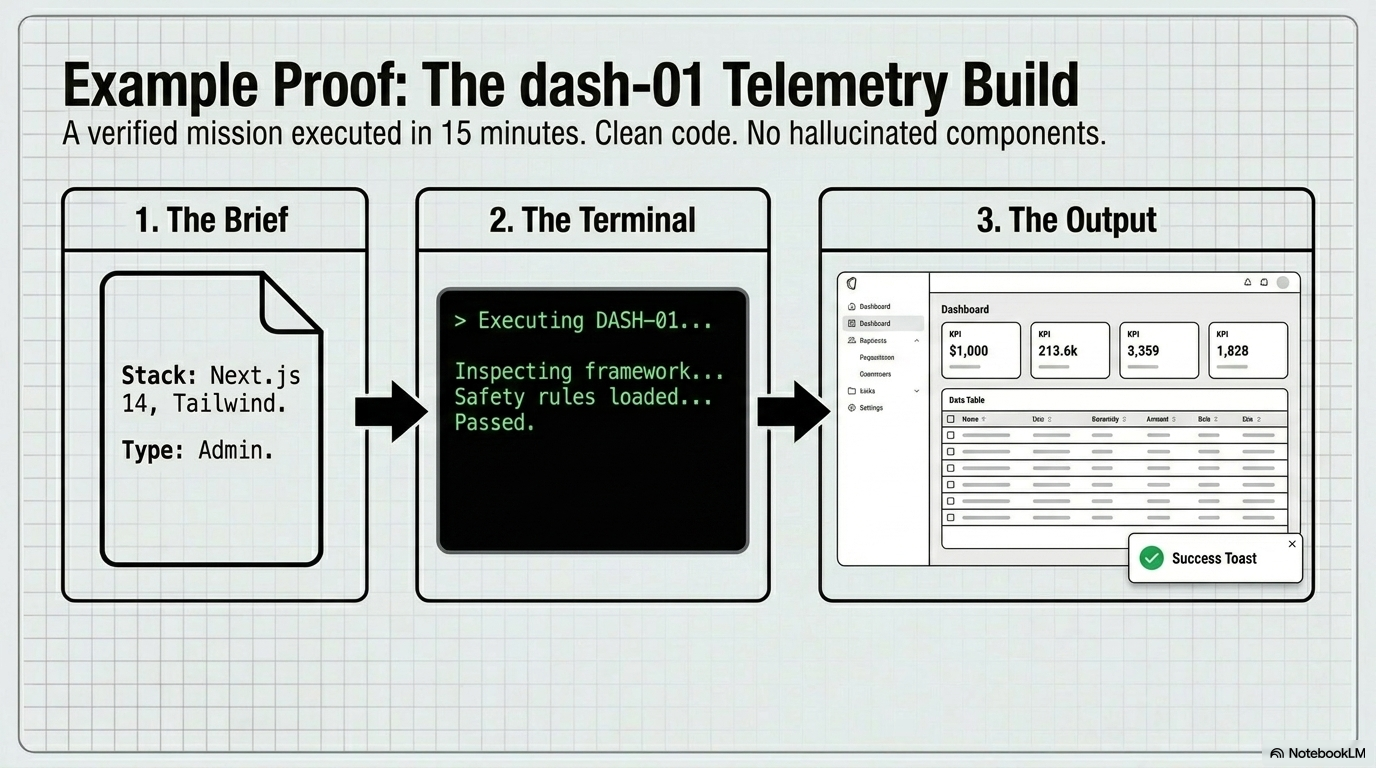
The result of a mission executed well is not just a dashboard that looks correct. It is a dashboard built according to explicit rules, checked against defined criteria, and produced by a process that can be repeated for the next screen, the next project, and the next client.
// 11 — Example
Where Products Like VibeCodePack Fit
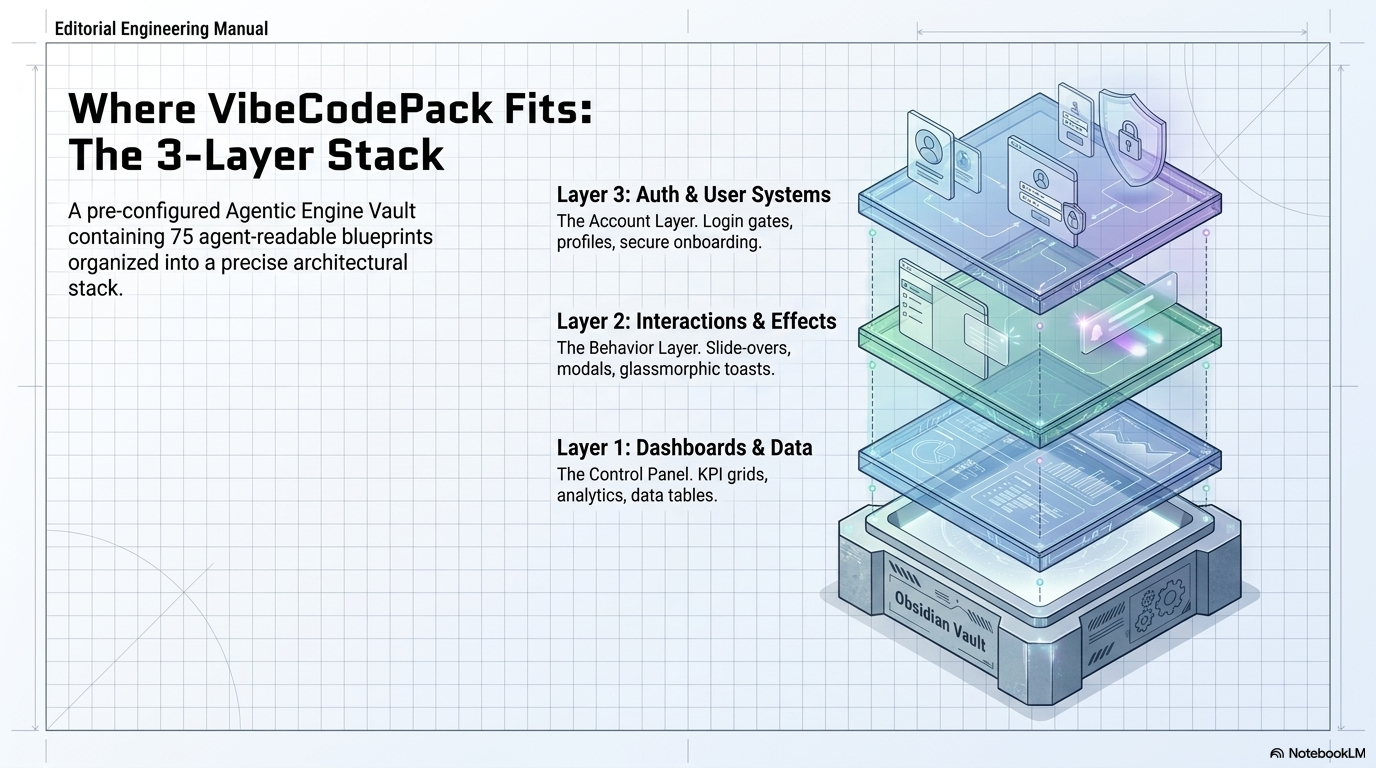
This framework — mission vaults as a product category — is beginning to produce actual offerings. The VibeCodePack AI Dashboard Mission Vault is one early example: an Obsidian-based system built for Claude Code, Codex, Cursor, and ChatGPT, containing 75 agent-ready missions organized across three layers.
The first layer covers dashboards and data — KPI grids, analytics screens, data tables, charts, and admin layout shells. The second covers interactions and effects — modals, slide-overs, toasts, loading states, and hover behaviors. The third covers auth and user systems — login screens, onboarding flows, profile panels, settings pages, and role-based views.
What distinguishes this positioning from a template store is the unit of value. A template store sells finished screens. A mission vault sells the structured instructions to generate those screens inside a real project — with context, constraints, and verification built in.
// 12 — The Bigger Picture
Builders as Mission Exporters
Zoom out far enough and a more fundamental change comes into view. The question is not just how dashboards get built, but what software creators are actually selling.
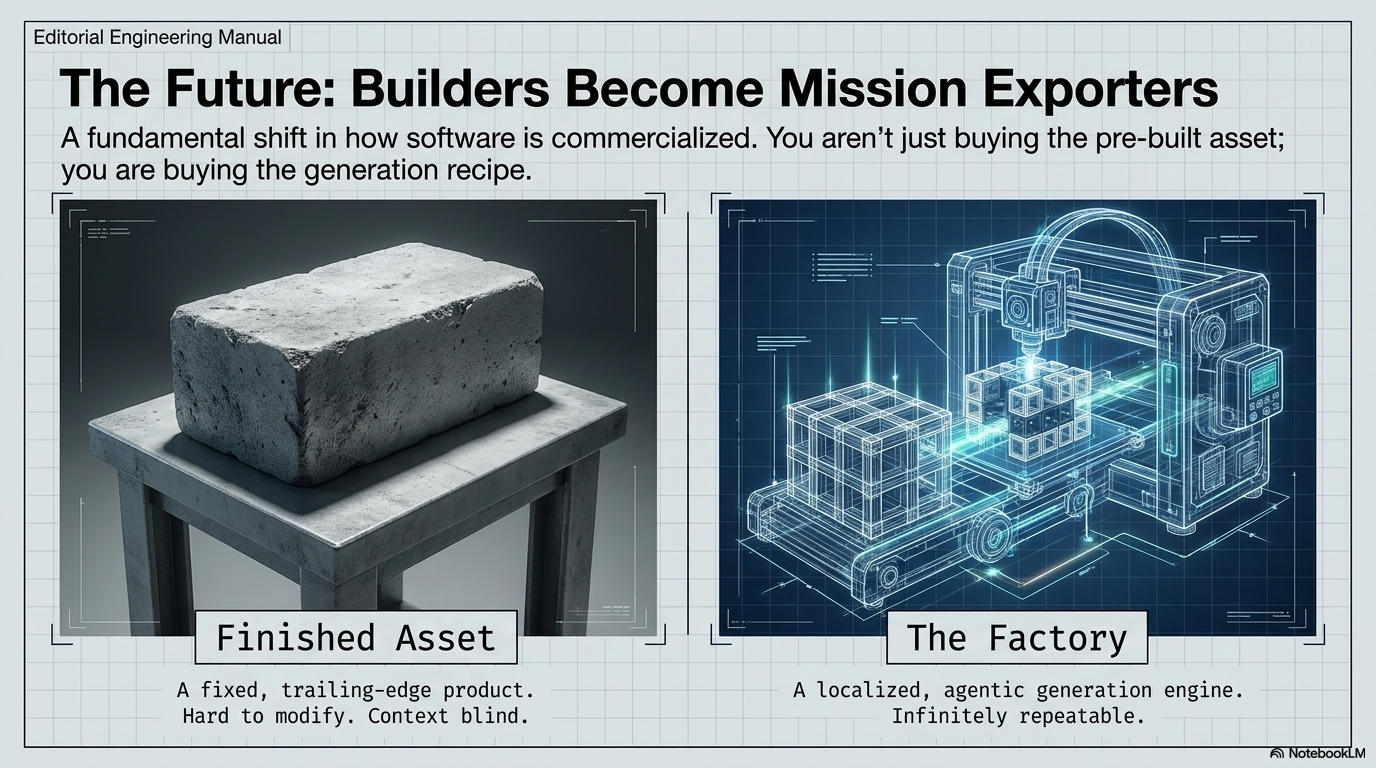
The old model produced finished assets — static, frozen, hard to modify, blind to any context outside themselves. The new model produces something closer to a factory: a localized, agentic generation system that can be pointed at any compatible project and run repeatedly.
A future dashboard builder might not export a template at all. It might export a mission bundle containing the objective, the component list, the data model, the interaction rules, the style constraints, the safety checklist, and the execution prompt. The buyer runs that bundle inside their own project, using their own AI agent, against their own stack.
That is a different commercial proposition entirely. The buyer is not purchasing a pre-built screen. They are purchasing the generation recipe for that screen, tuned to run inside whatever they are building.
// 13 — Limits
What This Does Not Mean
It is worth being precise about the limits of this approach.
Mission vaults do not make AI infallible. They do not eliminate the need for code review, testing, or human judgment. Backend integration, business logic, and production hardening still require a developer who understands what they are building. Mission vaults do not replace that work.
What they do is reduce the chaos at the front end of the process. They give the agent better instructions, give the builder a repeatable process, give the project clearer boundaries, and make the output easier to inspect and improve. The judgment still belongs to the human. The vault just makes the AI’s contribution more reliable.
Mission vaults do not replace judgment. They reduce chaos.
// 14 — Closing
The Breakthrough Is the Workflow, Not the Screen
Dashboard innovation is easy to think about in terms of screens: better cards, better charts, better themes, better animations. Those improvements are real and they matter.
But the deeper shift underway is not about what the dashboard looks like. It is about how the dashboard gets built — and more importantly, whether that process can be repeated reliably by an AI agent without producing chaos every time.
A static template gives a team one version of a screen. A mission vault gives a team a repeatable process for generating, verifying, and adapting many versions — for admin panels, client portals, analytics screens, CRM dashboards, affiliate trackers, SaaS control centers, and whatever comes next.
The template is one asset. The workflow is a machine. In the current era of AI-assisted development, the machine is becoming more valuable.
That is the argument for AI mission vaults as the next category in dashboard builder innovation. Not faster templates. Not better prompts. A structured system that gives AI agents real jobs — with context, constraints, and the means to verify the result.
Prompts guess. Missions build.
This article reflects an emerging approach to AI-assisted development. Results from AI-generated code depend on the specific tools, models, and project contexts involved. All AI output should be reviewed, tested, and validated before use in production.